Opencart ProxyPay Payment Method
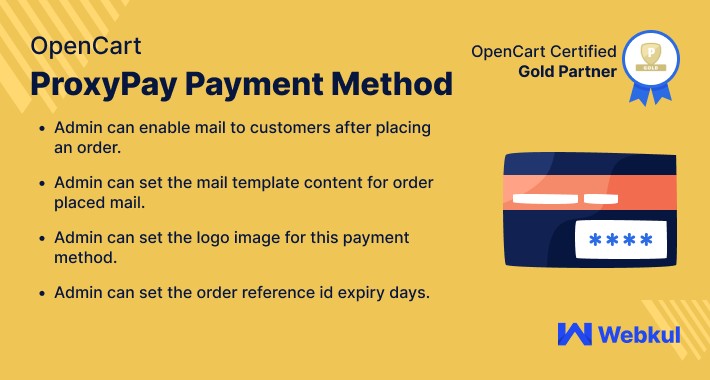
Opencart ProxyPay Payment Method: This extension allows the customers to use ProxyPay payment services for the payment of their orders. After placing the order the customer will get a reference id for the placed order.
After that, the customer needs to use that reference Id for completing the payment by using internet banking or ATM and the system will recognize the payment automatically.
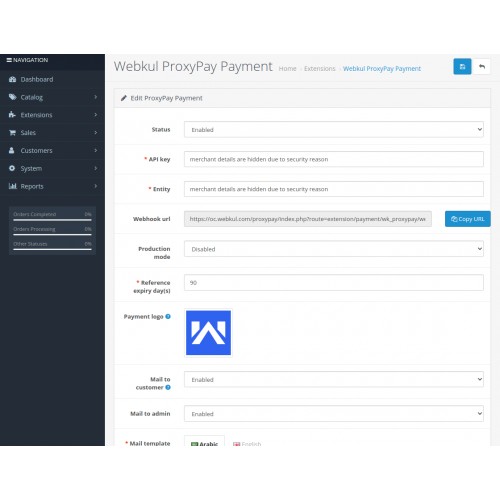
The admin can integrate this payment method by using the ProxyPay API Key and Entity. The admin can even set the reference expiry days after which the reference id for the customer placed order will get expired.



Use case
In Angola, the customer used to pay in Kwanzas(Angola currency) by using a popular and secure ProxyPay payment service solution for online orders. This method generates a reference id that the customer can use by visiting the nearest ATM to complete the payment.
Now Angola merchants can use ProxyPay Payment APIs to make the integration between web store and ProxyPay payment gateway. The customer has the freedom to choose the Proxypay payment method while checkout and place online order with ease.
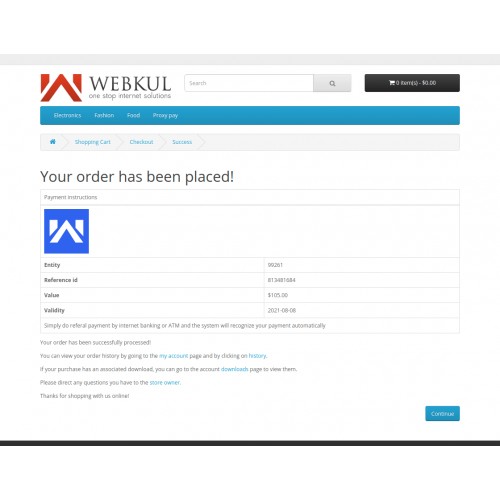
At the checkout web page, customers can get the reference id and entity id to complete the order payment. This reference id will expire at a fixed time interval as defined by the admin. The customer can also see the custom payment logo on the checkout page.

Features:
Workflow
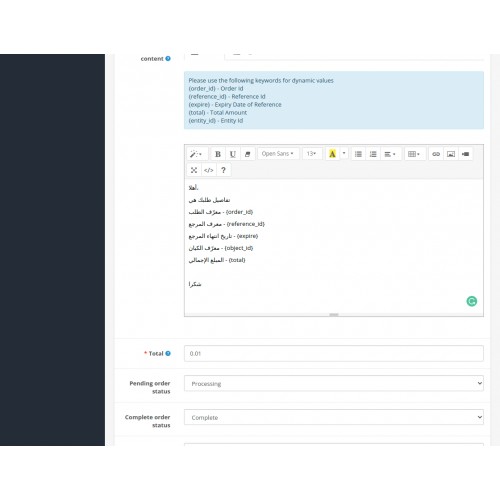
After the successful installation of the extension ProxyPay Payment Method, you can use this module. To configure the extension's settings, you can click on the edit button. The edit button also takes you to the module configuration settings tab.

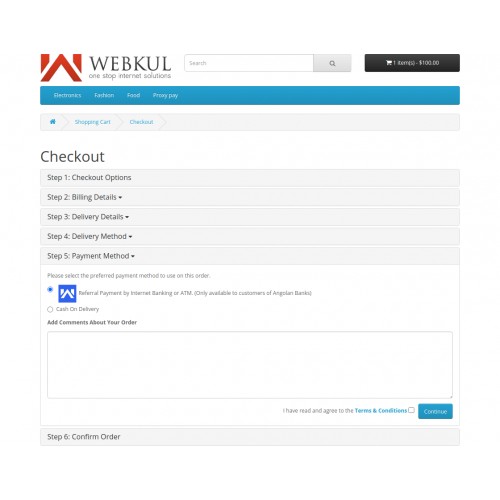
Customers can select the payment method as ProxyPay and continue to checkout as shown below in the image.

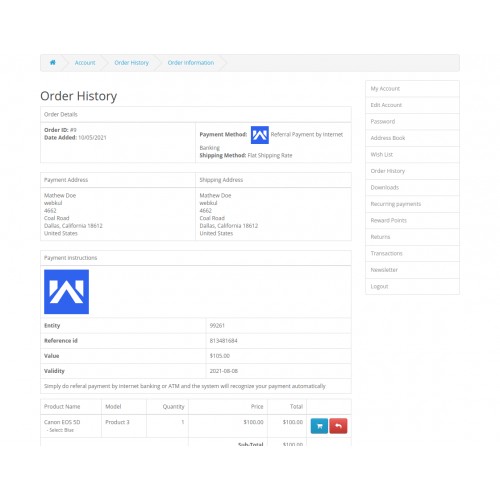
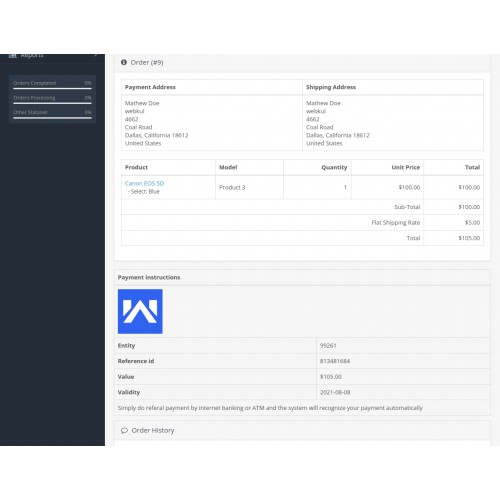
On the order confirmation page, it shows the reference id and entity id along with the validity date of expiration of reference id to customers

These details can be review under the order history page from the customer panel as shown in the below image

Also, the admin can have an option to upload a custom payment logo that will display on the store while checkout.
At each order stage, an email is sent to the customer after placing the order. The admin can even set the default status of pending and complete orders from the store backend.

Some Moments Of Appreciation



Support Policy
After that, the customer needs to use that reference Id for completing the payment by using internet banking or ATM and the system will recognize the payment automatically.
The admin can integrate this payment method by using the ProxyPay API Key and Entity. The admin can even set the reference expiry days after which the reference id for the customer placed order will get expired.
Use case
In Angola, the customer used to pay in Kwanzas(Angola currency) by using a popular and secure ProxyPay payment service solution for online orders. This method generates a reference id that the customer can use by visiting the nearest ATM to complete the payment.
Now Angola merchants can use ProxyPay Payment APIs to make the integration between web store and ProxyPay payment gateway. The customer has the freedom to choose the Proxypay payment method while checkout and place online order with ease.
At the checkout web page, customers can get the reference id and entity id to complete the order payment. This reference id will expire at a fixed time interval as defined by the admin. The customer can also see the custom payment logo on the checkout page.
Features:
- Enable/disable the module by admin.
- The admin can set the order reference id expiry days.
- The Admin can set the logo image for this payment method.
- This extension allows the admin to enable mail to customers after placing an order.
- The admin can also set the Mail template content for order placed mail (For sharing reference id).
- The admin can check order history from the store backend.
- Define default payment order status for pending and complete orders.
- Use sandbox mode for testing functionality.
Workflow
After the successful installation of the extension ProxyPay Payment Method, you can use this module. To configure the extension's settings, you can click on the edit button. The edit button also takes you to the module configuration settings tab.
Customers can select the payment method as ProxyPay and continue to checkout as shown below in the image.
On the order confirmation page, it shows the reference id and entity id along with the validity date of expiration of reference id to customers
These details can be review under the order history page from the customer panel as shown in the below image
Also, the admin can have an option to upload a custom payment logo that will display on the store while checkout.
At each order stage, an email is sent to the customer after placing the order. The admin can even set the default status of pending and complete orders from the store backend.
Some Moments Of Appreciation
Support Policy
Price
$149.00
- Developed by OpenCart Partner
- 3 Months Free Support
- Documentation Included
Rating
Compatibility
3.0.0.0, 3.0.1.0, 3.0.1.1, 3.0.1.2, 3.0.1.3, 3.0.2.0, 3.0.3.0, 3.0.3.1, 3.0.3.2, 3.0.3.3, 3.0.3.5, 3.0.3.6, 3.0.3.7, 3.0.3.8, 3.0.3.9, 3.0.4.0, 3.0.4.1
Last Update
30 Jun 2025
Created
11 May 2021
0 Sales
0 Comments

Login and write down your comment.
Login my OpenCart Account